


Car Auto Sync for Android
4.212.00 Reviews
App Specs
- Version
- 3.1.0
- Updated On
- License
- Free
- Downloads
- 500,000+
- Developer
- One Music Player
- Categories
- Auto & Vehicles
- Platform
- Android
Screenshots
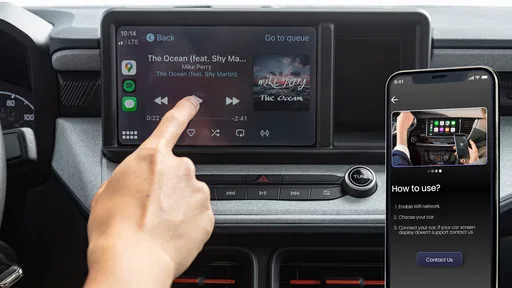
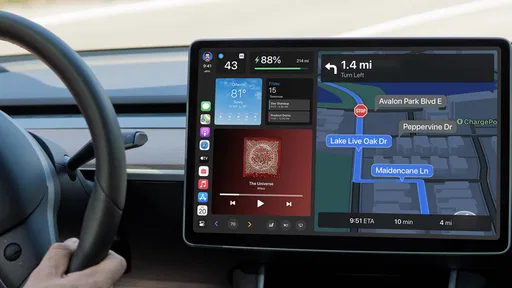
 Analysis by AppCompare
I judge a driving app less by how ambitious its feature list sounds and more by whether it helps me make calmer decisions before and during a trip. Car Auto Sync is an Android app from One Music Player in the auto and vehicle category. Its focus brings together car-related convenience, parking and speed tools, and a way to prepare emergency emails. That combination is useful to think about as a set of separate jobs, not as a replacement for every system in a modern car.
The app is free to install, though it offers in-app purchases ranging from $0.99 to $99.99 per item. It has an Everyone content rating, a 4.2 average from around 1,300 ratings, and over 500,000 installs. Those figures suggest a sizable audience, but popularity alone cannot tell me whether its controls or choices fit my habits. I would treat the first session as a chance to understand what the app actually asks me to do before relying on it during a drive.
Trust starts with a careful first setup
Car-related apps can touch sensitive parts of everyday life: where I go, when I leave, who I contact, and what I do after parking. That makes setup more important than a quick tap through prompts. I would read each permission request in context and ask whether it matches the task I am trying to use. If a prompt does not make sense to me, I would pause rather than grant it just to get past the screen.
There is a practical difference between testing a parking aid while stationary and depending on a driving feature in traffic. I would explore the app while parked, check how its screens are organized, and decide which functions I actually want before using it on the road. This keeps setup from becoming a distraction and gives me a chance to notice any choice that feels unclear.
Make the controls work for your routine
For a useful trial, I would start with one purpose at a time: first understand the parking workflow, then look at speed-related tools, and only then consider the emergency-email option. Separating those tasks makes it easier to tell what is helpful and what adds clutter. It also avoids the common mistake of turning on every available option before knowing how it fits into a normal drive.
A small habit can make the experience safer: set up or review anything that requires attention before pulling away, then leave the phone alone while moving. If I want to use an email-related feature, I would make sure I understand its intended recipient and when it might be used before depending on it. A tool that matters in an urgent moment should be familiar in advance, not something I am learning under pressure.
What I would keep in mind about data-sensitive moments
Parking and speed tools can make an app feel personal because they relate to the places and trips I care about. I would use only the parts that solve a real problem for me, and I would avoid treating any phone-based record or display as the final authority when the car itself or local rules provide the relevant information. That is especially important for speed: a convenient view should not encourage me to look down or take attention away from driving.
Worth Reading Before You Choose

Flipboard Shows What News Apps Must Do Beyond the Feed

Switching to Android Auto Means Rethinking Your Driving Routine

Google Calendar Makes a Crowded Week Easier to Manage

Ludo King Makes the Most of the Minutes Between Plans

Baby Panda World Brings Quick Play to Modern Phones, but Its Game Library Feels Busy

ESPN’s Live Game View Makes Following Close Games Easier
Emergency communication deserves the same measured approach. Before relying on an email function, I would check the details I can see in the app and make sure the people involved would understand what such a message means. I would not assume it replaces emergency services or a dedicated in-car safety system. Its value depends on a clear, realistic role in my plan.
Who is likely to get the most from it?
I can see this fitting drivers who want a few practical car-related tools in one Android app and are willing to spend a little time learning its setup. It may be particularly appealing if remembering where a car was left or keeping an eye on speed is part of a regular routine. Someone who rarely drives, prefers not to use phone-based car tools, or already has a vehicle system that covers these needs may gain less from adding another app.
The sensible comparison is with the built-in options a driver already has: a car display, a navigation app, or a simple note about where the vehicle is parked. Those alternatives may be a better choice when they provide the exact function needed with less setup. Car Auto Sync is most persuasive when its combined approach saves effort, not simply because it puts more functions on a phone.
The Drive Begins
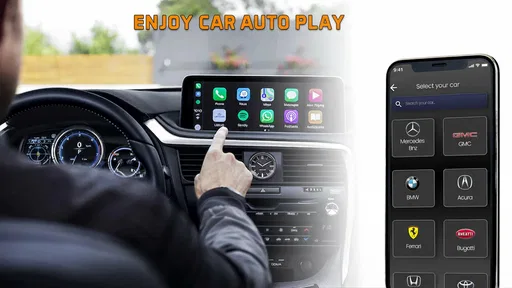
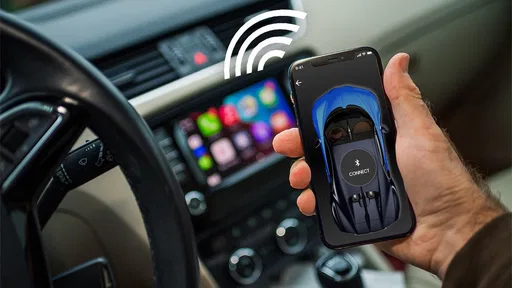
First off, setting up Car Auto Sync is a breeze. Once you download it from the Play Store, the app guides you through a simple installation process. You’ll need to enable Bluetooth and grant a few permissions, but it’s all pretty straightforward. Within minutes, my phone was seamlessly connected to my car, and I was ready to explore.
Features That Make Life Easier
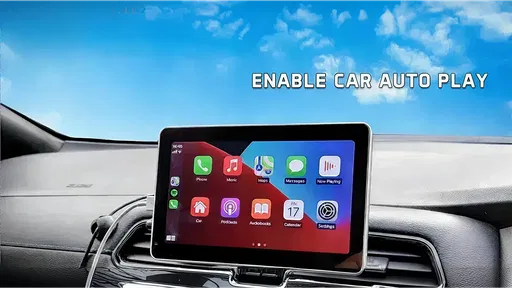
This app is packed with features that cater to both tech enthusiasts and those just looking for convenience. You can automatically sync your contacts, messages, and even music playlists. The ability to access your phone’s navigation directly on your car’s display is a game-changer. No more fumbling with your phone at red lights trying to figure out the best route!
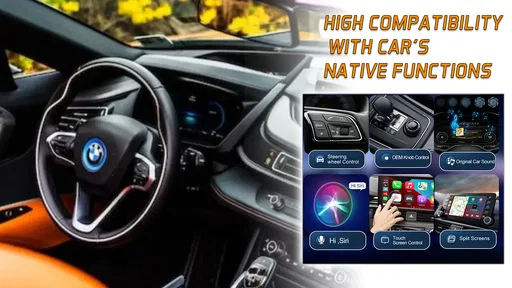
Another cool feature is the voice command integration. Imagine telling your car who to call or what playlist to play without taking your hands off the wheel. Safety first, right?
How It Improves the Driving Experience
The real magic happens when you’re on the road. The app’s interface is clean and intuitive, making it super easy to switch between navigation, music, and calls. Plus, the real-time traffic updates are spot on, helping you avoid those dreaded traffic jams. The hands-free calling feature is particularly impressive, ensuring you stay connected without compromising safety.
I also loved how the app integrates with third-party apps. Whether you’re a Spotify addict or a Google Maps loyalist, Car Auto Sync has got you covered. It’s like having a personal assistant riding shotgun with you.
A Few Quirks
Of course, no app is perfect, and Car Auto Sync is no exception. Occasionally, the Bluetooth connection was a bit finicky, requiring a quick reconnect. While not a deal-breaker, it’s something to keep in mind. Also, the voice recognition could use a little tuning, especially with accents or in noisy environments.
Another thing I noticed was that the app tends to drain the battery a bit faster than usual. So, keeping a charger handy might be a good idea, especially on long drives.
Final Thoughts
Overall, Car Auto Sync is a fantastic companion for any driver who wants to stay connected and entertained on the road. Its user-friendly interface, coupled with a robust set of features, makes it a must-have for Android users. Despite a few minor hiccups, the convenience and safety it brings to the driving experience are well worth it.
If you’re ready to transform your car into a smart vehicle, give Car Auto Sync a try. It’s available for download on the Google Play Store. Happy driving!
A realistic way to test it
Imagine arriving at a busy shopping area, parking, and later needing to remember which row or entrance you used. That is a low-pressure moment to see whether the parking tools suit your routine: take time to learn the process while stationary, then check whether the information is easy to use when you return. If it takes too many steps or leaves you unsure what was saved, a quick note or your car’s built-in system may be simpler.
For a regular commute, I would also separate convenience from safety claims. A phone can help organize a trip, but fiddling with a display while moving is still a distraction. I would choose a destination, music, and any relevant settings before setting off, then rely on voice interaction only if it works reliably in my car and surroundings. If a command fails, pulling over safely is a better response than repeating it while driving.
Small trade-offs that matter over time
Bluetooth convenience is only useful when the connection behaves consistently. The earlier connection hiccup is a reminder to test pairing at home or in a parked car, rather than discovering a problem when the route is already underway. I would also keep a simple fallback in mind: know how to use the car’s own controls or the phone directly while parked, so a temporary connection issue does not derail the trip.
Battery use is another practical consideration, especially if a long drive involves navigation, music, and a connected display. I would begin with a shorter trip and notice whether the setup changes how quickly the phone needs charging. A charging cable can help, but it also means checking that it does not interfere with safe placement or access to vehicle controls.
Version 3.1.0 is listed for Android 8.0 and later, so an older handset may still meet the minimum requirement, but that alone does not guarantee a smooth experience with every car. Compatibility depends on the phone, vehicle, and connection setup in front of you. Before making it part of a daily routine, I would try it with the actual car and phone I plan to use, rather than assuming that a successful install means every feature will work the same way.
Choosing it for the right reasons
I would skip this app if I only need dependable turn-by-turn directions and already have a navigation option I like. A dedicated navigation app is usually the more direct choice for route planning, while a vehicle’s own interface may be preferable when it already handles calls or media without extra setup. I would also avoid relying on an unfamiliar phone app as my only emergency plan; important contacts and local emergency options should be understood independently.
On the other hand, a driver who likes having parking and speed-related tools together may find the combination worth testing. The key is to decide what success looks like before installing: perhaps it is easier to retrieve a parked-car detail, or having a useful speed display without reaching for another tool. That makes it easier to judge the app on a real need instead of leaving it installed simply because it offers several functions.
My cautious verdict
Car Auto Sync is most appealing as a collection of optional driving conveniences, not as something I would trust automatically with every part of a journey. I would explore its visible choices deliberately, keep attention on the road, and retain a fallback for navigation, communication, and emergencies. If its tools fit your car and habits, the free starting point makes a careful trial reasonable; if your existing setup already does the job, adding another layer may create more friction than benefit.
Pros
- Seamless integration with multiple car models.
- User-friendly interface with intuitive design.
- Real-time data syncing for enhanced accuracy.
- Customizable notifications for maintenance alerts.
- Supports offline data access for convenience.
Cons
- Limited support for older car models.
- Occasional connectivity issues reported.
- Consumes significant battery when in use.
- Premium features locked behind a paywall.
- Initial setup can be time-consuming.
FAQs for Car Auto Sync for Android
What is Car Auto Sync and how does it work?
Car Auto Sync is an app that seamlessly connects your smartphone to your vehicle, enabling you to sync contacts, music, and navigation data. It operates using Bluetooth technology to establish a connection between your device and your car's infotainment system, ensuring a hands-free experience that promotes safety while driving.
Is Car Auto Sync compatible with all car models?
Car Auto Sync is designed to work with most modern vehicles equipped with Bluetooth-enabled infotainment systems. However, compatibility may vary depending on the make and model of your car. It is advisable to check the app's compatibility list or consult your vehicle's user manual to ensure seamless integration.
What features does Car Auto Sync offer?
Car Auto Sync provides various features, including contact synchronization, music streaming, and access to navigation apps. It also supports voice commands and hands-free calling to enhance driver safety. Some versions might offer additional functionalities like SMS reading and calendar integration, depending on your subscription plan.
Is it safe to use Car Auto Sync while driving?
Yes, Car Auto Sync is designed to be used safely while driving. By enabling hands-free features, it reduces the need for physical interaction with your phone, allowing you to focus on the road. However, it's important to set up the app and familiarize yourself with its functions before driving.
Are there any costs associated with using Car Auto Sync?
Car Auto Sync is typically available for free with basic features. However, some advanced functionalities may require a premium subscription or in-app purchases. It's recommended to review the pricing details within the app to understand any potential costs associated with enhanced features.


